
April 2026
I’ve been building a photo critique app for myself. Not a polished product — not yet — but a working local web tool that runs on my MacBook Air, points at my photo archive, and uses the Claude API to triage and critique images before I ever open Lightroom. It’s part of a longer project: eventually a real, publicly releasable tool built for serious photographers with large archives who need more than a star rating system to make sense of what they’ve shot.
I’m not a developer by trade. I know enough to be dangerous. So I’ve been building this in collaboration with Claude via Cowork — Anthropic’s desktop tool — treating Claude as a development partner rather than an autocomplete engine. This post is an honest account of one session. What got built, what broke, what I had to push back on, and what I learned about how this kind of human-AI development actually works.
The Setup
The app stack is not glamorous: Python/FastAPI on the backend, SQLite for the database, a vanilla JavaScript single-page app for the frontend. No frameworks. No build step. Roughly 7,000 lines of JavaScript in a single index.html file that has grown session by session.
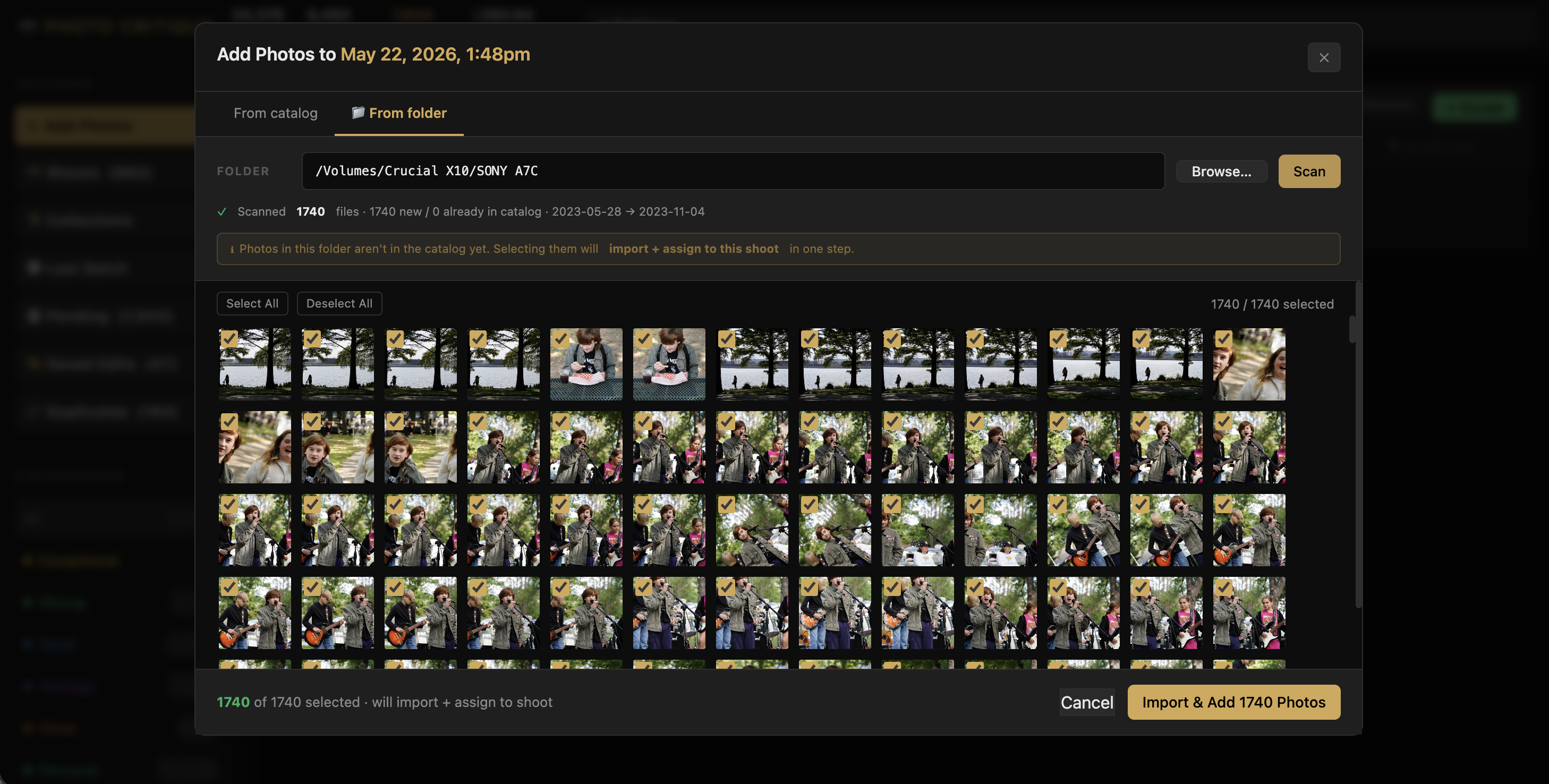
The core workflow: scan a directory of RAW files, run technical analysis (sharpness, exposure), send each photo to Claude’s API for a written critique and category assignment (Keep / Personal / Weak / Average / Trash), then surface a triage interface so I can move through my archive fast.
It works. It’s been working for about twenty sessions of iterative development. This session added three new features and revealed a persistent pattern I needed to address.
Act One: The Frozen Scan
I kicked off the session by adding a new directory — a Flickr backup I’d been meaning to ingest. About 16,000 photos. I started the scan and walked away.
Ten minutes later, nothing. The modal was frozen on “1 image remaining.” No errors in the server log. No crash. Just… stopped.
Claude’s first instinct was to suggest the server had deadlocked. But looking at the logs more carefully together, the last entry was the scan completing — then silence. That was the clue. The scan itself finished. What was hanging was the next step: RAW+JPEG pair detection.
The pair detection algorithm reads every JPEG in the batch to check whether it’s a black-and-white converted version of an adjacent RAW file — useful for my Leica Q2 Monochrom workflow. With 16,000 files, reading each one synchronously at the tail end of the scan job meant a long, silent I/O wait with no progress indicator. It wasn’t broken. It was just slow in a way that looked broken.
Fix: cancel the scan, restart the server, run pair detection separately as a background job from the maintenance panel. That ran fine. The 16,000 photos loaded.
The takeaway here wasn’t a code change — it was a diagnostic one. Not every freeze is a crash. The absence of errors in the log was itself a clue.
Act Two: Numbers That Didn’t Add Up
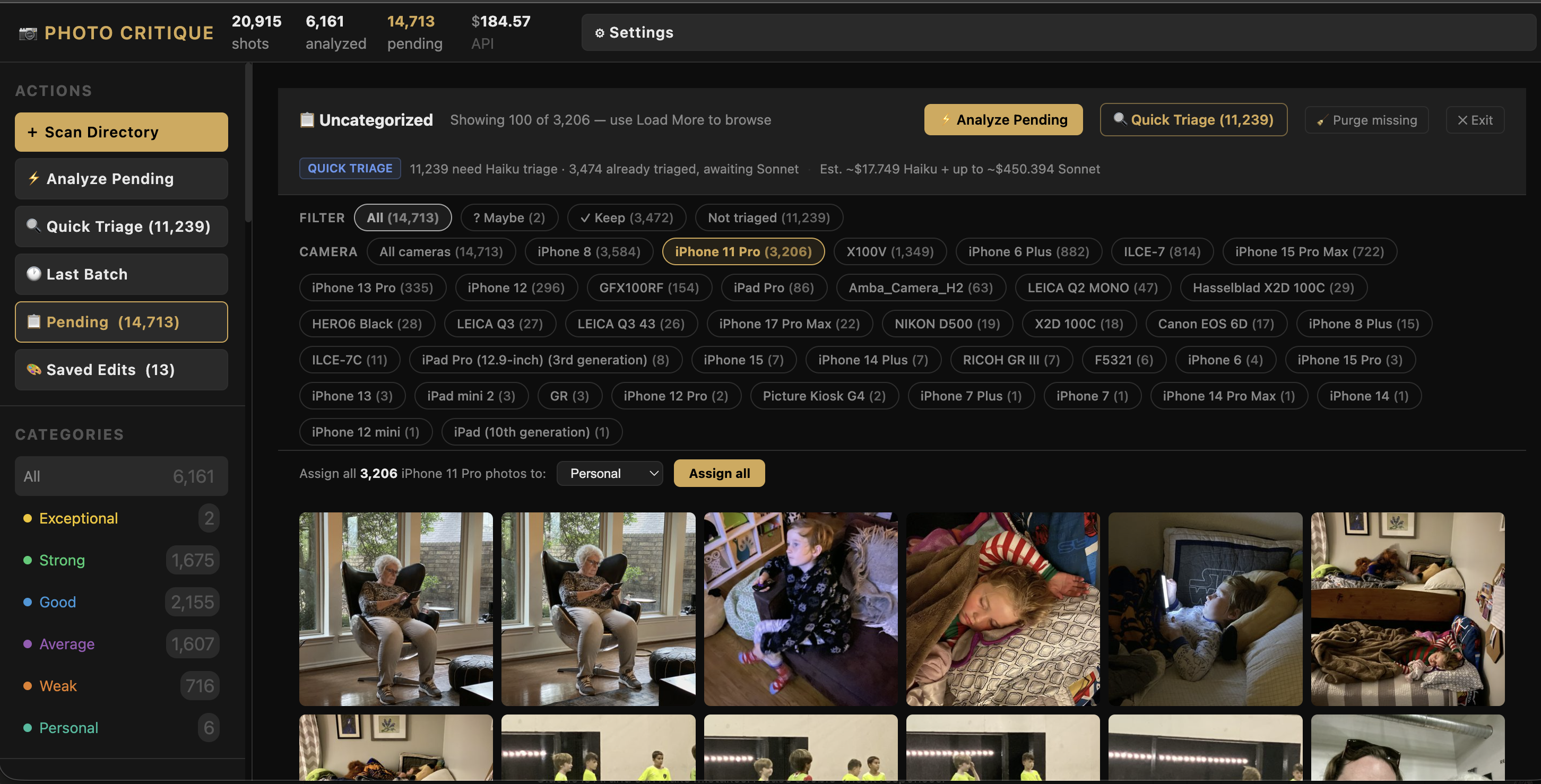
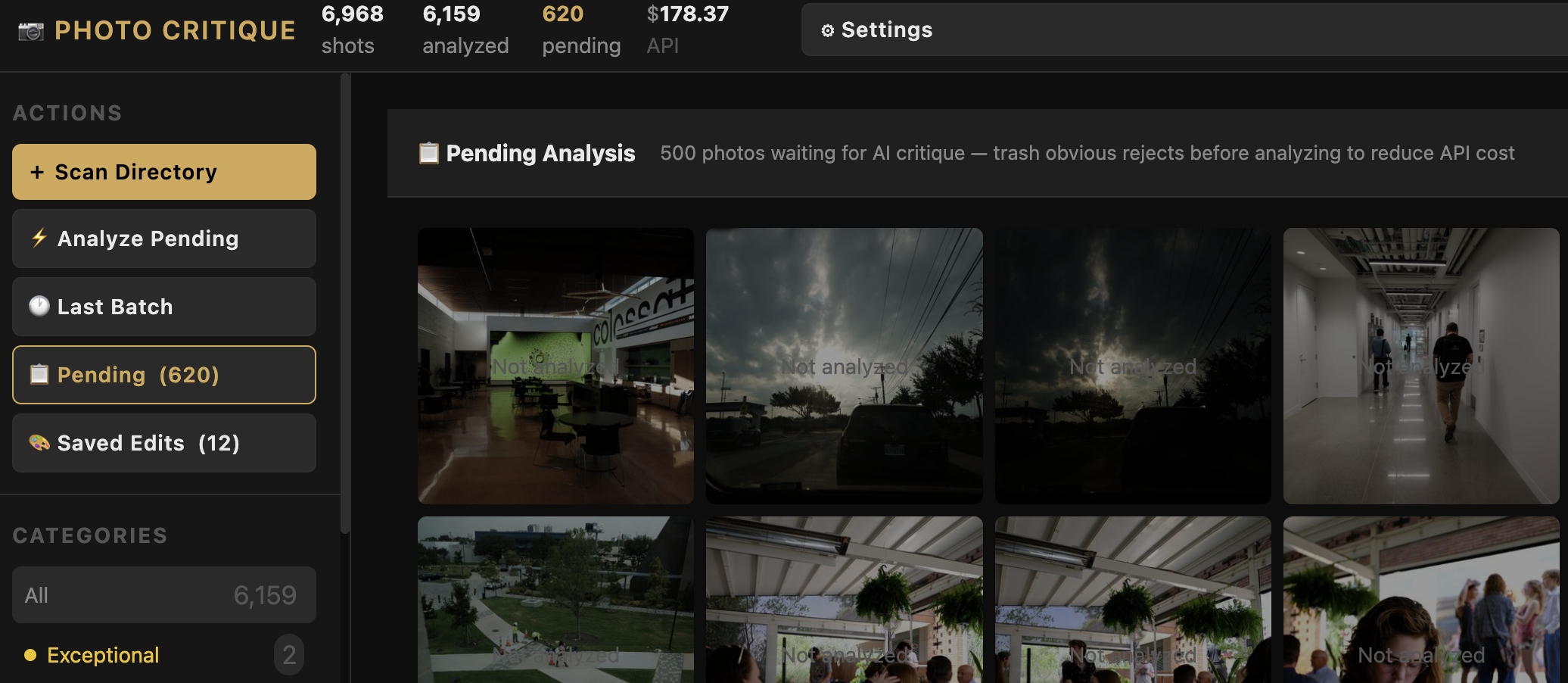
With the new photos loaded, I opened the Pending view — the screen that shows all unanalyzed photos awaiting triage. The filter tabs at the top showed counts: “All,” “Not Triaged,” “Haiku Keep,” “Haiku Maybe.”
The numbers were wrong. Or rather, they were inconsistent in a way that made no sense from a user perspective.
What was happening: the app was loading photos in batches of 2,000. The filter tab counts reflected that batch — not the full catalog. So “Not Triaged” showed 1,847 when the actual number was 11,319. There was a technically defensible reason for this (the counts came from the local JavaScript state, not the database), but defensible and correct aren’t the same thing.
When I pointed this out, Claude walked me through the existing logic, which was accurate. But I pushed back: I don’t care what the current logic is doing. As an end user, I only care about the real number. Fix it.
That’s a useful distinction to hold when working with an AI collaborator. Claude is good at explaining what code does. That doesn’t mean what the code does is right.
The fix: pull the counts from state.stats — the catalog-wide statistics already available in the app’s global state — rather than counting from the current page’s local data. Simple in retrospect. The filter tabs now show accurate catalog-wide numbers.
Act Three: Pagination
The filter count fix exposed the next problem. “Not Triaged” now correctly showed 11,319 photos — but when I clicked it, only a handful appeared. The app was loading 2,000 photos total and then filtering that local set.
This had worked fine when my pending count was a few hundred. With 16,000 new ingested photos, it broke the mental model completely.
We needed server-side pagination. The approach: replace the flat 2,000-photo fetch with an offset/limit system. Each filter request goes to the database with a filter, camera, and offset parameter. The server returns 100 photos and a total_matching count. A “Load More” button at the bottom of the grid fetches the next 100 and appends them without a full re-render.
One thing I specifically didn’t want: a full page reload on “Load More” that blanked the screen and re-rendered from scratch. The existing multi-select and range-select keyboard shortcuts needed to keep working across loaded pages. Claude figured out the right approach: append new photos to the existing DOM and update the internal catalog index — don’t blow it away and rebuild.
The result is the pending view now handles tens of thousands of photos smoothly, filters accurately, and loads progressively. That’s the kind of feature where it’s worth spending half a session to get right.
Act Four: Camera Filtering and Bulk Assign
With the pagination solid, the next need became obvious. I’m looking at 11,000-plus photos taken across five different cameras: Leica Q3, Q2 Monochrom, Hasselblad X2D, iPhone, and some older bodies. The iPhone shots aren’t going through AI critique — they’re snapshots and personal archive photos. I wanted to be able to select “iPhone” and bulk-assign the entire set to the Personal category without touching them one by one.
We built two connected features:
Camera filter pills. When the Pending view is active, a row of pills appears showing each camera with pending photos and how many. Click one, and the view filters to that camera (server-side, combinable with the existing triage filters). The pending count updates. Load More works within the filtered set.
Bulk assign. When a camera filter or triage filter is active, a bar appears at the bottom of the view: a category selector and an “Assign all [N] photos” button. The assign operation runs a single database UPDATE against the full filtered set — not just the current page. That matters: if I have 4,000 iPhone photos loaded across 40 pages of pagination, “Assign all 4,000 to Personal” should work regardless of how many pages I’ve scrolled through. And it does.
Act Five: The Bug We’d Already Fixed
Here’s the part I want to talk about honestly.
After building the camera filter pills, they didn’t work. Clicking them did nothing. No errors, no response.
Claude diagnosed it: JSON.stringify("iPhone 14 Pro") produces "iPhone 14 Pro" with double quotes. When that string is embedded directly into an HTML onclick attribute — onclick="setPendingCamera("iPhone 14 Pro")" — the attribute parser closes at the second double quote. The button renders perfectly. The handler is silently broken.
The fix is a helper function: escHtml(JSON.stringify(value)) — which escapes the quotes to " before the value lands in the HTML attribute. The browser unescapes correctly when the click fires. The button works.
Here’s the problem: this is the exact same bug, with the exact same fix, that we solved two sessions ago for a different set of buttons. It was already documented in the project’s development log. The rule was already written. I pointed that out.
This led to a longer conversation about what it means to work with Claude on a real, multi-session codebase. Claude doesn’t have persistent memory across sessions by default — it reads files at the start of each session to reconstruct context. The rule existed. It just wasn’t being applied before writing the new code.
We added a stronger, more explicit version of the rule to the project’s memory file: before writing any code — SQL, Python, JavaScript — read the specific file and surrounding context where the change will land. Not “read the docs.” Read the actual code, at the actual location, before touching it. Search the codebase for existing patterns before writing similar ones.
Is that a complete solution? Probably not. But naming it explicitly and logging it as a standing principle is better than hoping it gets applied by osmosis.
What I’ve Learned About This Kind of Collaboration
This project has now run for about twenty development sessions. A few things are clearer than they were when I started.
Claude is a strong implementer once the spec is clear. When I know what I want and can describe it precisely, the code comes back fast and usually correct. The pagination system, the bulk assign logic, the server-side camera filter — all of that came together in a single session without major rework. The hard part isn’t the code.
The hard part is product thinking. What should the UX actually do? What does an end user expect from a filter count? Claude will tell you what the code is doing. It will not, without prompting, tell you whether what the code is doing makes sense. That’s my job. The filter count bug existed for several sessions because it was technically consistent — it just wasn’t correct from a user perspective. I had to push back to get it fixed.
Established rules need to be re-read, not just remembered. We’ve now had the same bug pattern appear twice because a rule was established but not actively consulted before writing similar code. The solution I’ve landed on is to require explicit codebase reads before any edit — not as a courtesy but as a hard prerequisite. Claude will do this when instructed. It needs to be the default.
“Yes” on a multi-point plan is not sign-off. Early sessions I’d get a numbered list of proposed changes and say “yes.” That worked when the scope was small. Now the plans are complex enough that a rubber-stamped yes on four points can still mean I haven’t actually thought through point three. Better to go one question at a time and hold out for a real answer on the tricky one.
Honest retros make the collaboration better. This session ended with a retro prompted by the repeated bug. That conversation produced the strengthened code verification rule. Not because Claude is unreliable, but because the collaboration process itself needs tuning, and tuning it requires naming the friction rather than absorbing it.
Where This Is Going
The app does something genuinely useful now. A session of triage that used to take an hour takes about fifteen minutes. The AI critique quality is good enough to be meaningful — not perfect, but good enough to shift my attention from “which of these is sharp?” to “which of these actually matters?”
Next up: bulk trash deletion (permanent cleanup of everything I’ve already marked), and eventually the move from a local proof-of-concept toward something I could put in front of other photographers. That’s a different kind of project — it needs a UI that doesn’t require a terminal to launch, and every CLI script that exists right now needs to become an in-app interaction.
That’s the work. I’ll keep posting as it develops.
The photo critique app is being built in public (process-wise, if not open source). Follow along at @cksamplephotos or check back here for future posts in this series.


Leave a Reply