
Roland dropped TR-1000 firmware v1.50 this week, and it’s the biggest update since launch. The headline: the TR-1000 can finally play melodies properly. There’s a per-step NOTE parameter and a real KEYBOARD mode on the step keys, so the old Snapshot workaround for pitched parts is no longer necessary.
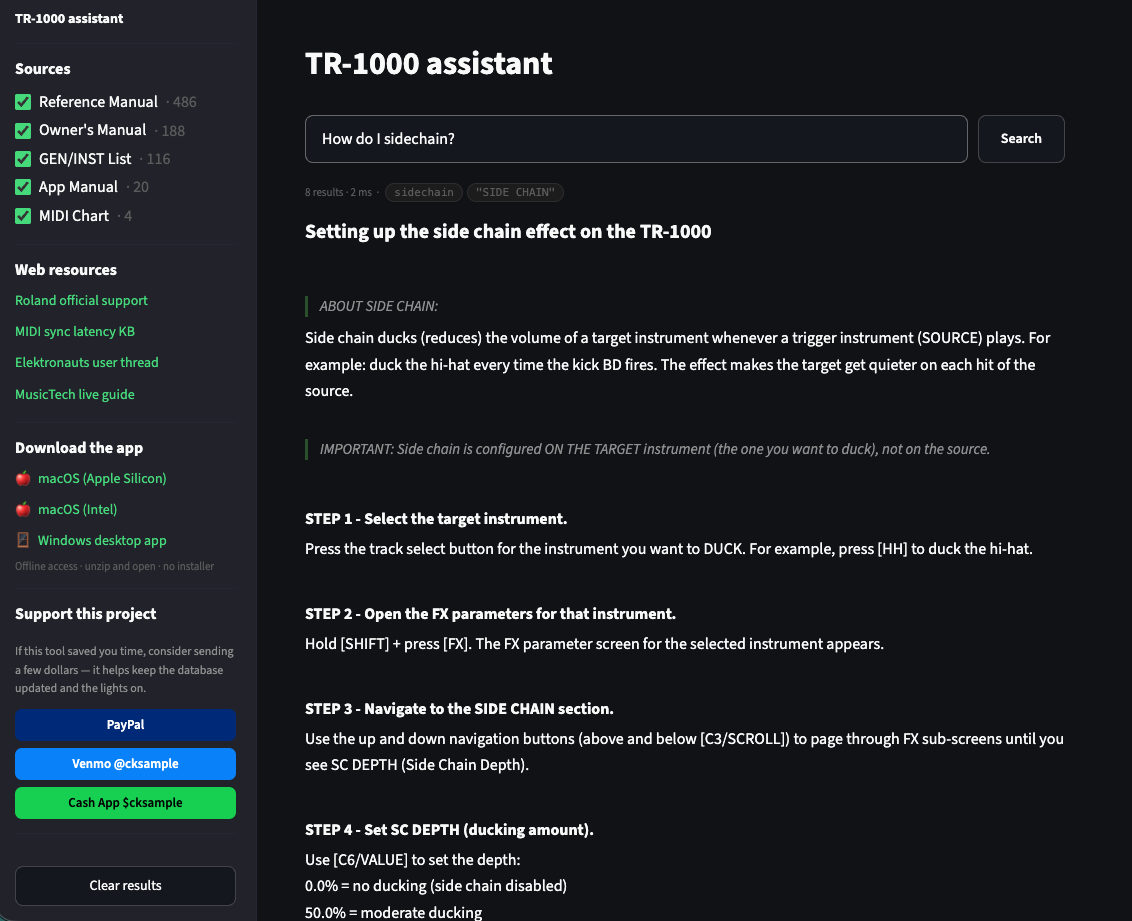
I’ve updated the TR-1000 Assistant to match. It’s still free, still offline, and still searches only Roland’s own documentation.
What’s new in v1.50
- NOTE step parameter — sequence pitch per step, ±24 semitones, on any generator with coarse tune (not the analog voices). Swap the sound and the melody stays.
- KEYBOARD play mode — step keys 1–13 become a keyboard with 30+ scales, octave keys, and a movable root step. Record with INST REC, edit the notes in TR-REC.
- Keep Efx and ExtIn — reverb and delay tails, MFX, analog FX and the external input carry over when you change kits. This is the fix for the kit-change gap that live players have been asking about.
- New effects — ROLL and ROLL2 (tempo-synced bar loops and stutters), REV PAN DELAY, and an SBF-325 flanger/chorus as both MFX and IFX.
- Routing — INDV OUT “MIX ONLY” frees the individual outputs for DAW audio over USB, and the analog FX section can now feed only the AFX output as a separate sub-mix.
- Sounds and workflow — 50 FM instruments from the TR-8S, COARSE on all FM generators, Pattern Select Mode (browse without switching), Auto Track Select, and Sample Level Adjust for imports.
Roland’s full notes and the update file are on the TR-1000 v1.50 download page. Their 31-minute walkthrough video is worth watching too. Back up before you update. The backup takes about 20 minutes and the update about 3.
What changed in the TR-1000 Assistant (v1.1.0)
- Reference Manual v1.50 replaces v1.20, so searches return the current menus and parameters.
- Two new sources: Roland’s v1.50 release notes, and the full transcript of the v1.50 update video, split by topic with timestamped links.
- 17 new curated how-tos (136 total) covering NOTE, KEYBOARD mode and its scales/root step, NOTE SW, Keep Efx and ExtIn, ROLL/ROLL2, the new effects, MIX ONLY routing, AFX FX ROUTE, Pattern Select Mode, Auto Track Select, Sample Level Adjust, Program Change out, the new mod destinations, and a “what’s new in v1.50” overview.
- The firmware update procedure has been rewritten to match Roland’s published steps.
The Roland video and the manual don’t always agree on details. For example, the manual says you have to turn NOTE SW on before KEYBOARD mode works, and the video skips that step. In those cases the how-tos follow the manual and note the difference. Anything that’s only in the video is labeled that way.
Get it
Web: use it right on the TR-1000 Assistant page, or open it full-window.
Desktop (offline): macOS (Apple Silicon) · macOS (Intel) · Windows
Mac users: if macOS blocks the app, move it to Applications and run xattr -cr "/Applications/TR-1000 Assistant.app" once in Terminal.



Leave a Reply